"Who said that? We don't make promises like that."
"One moment. Yes, my colleague spoke with you Tuesday at eleven. I'll follow up."
The difference is one audio file in the customer's record.
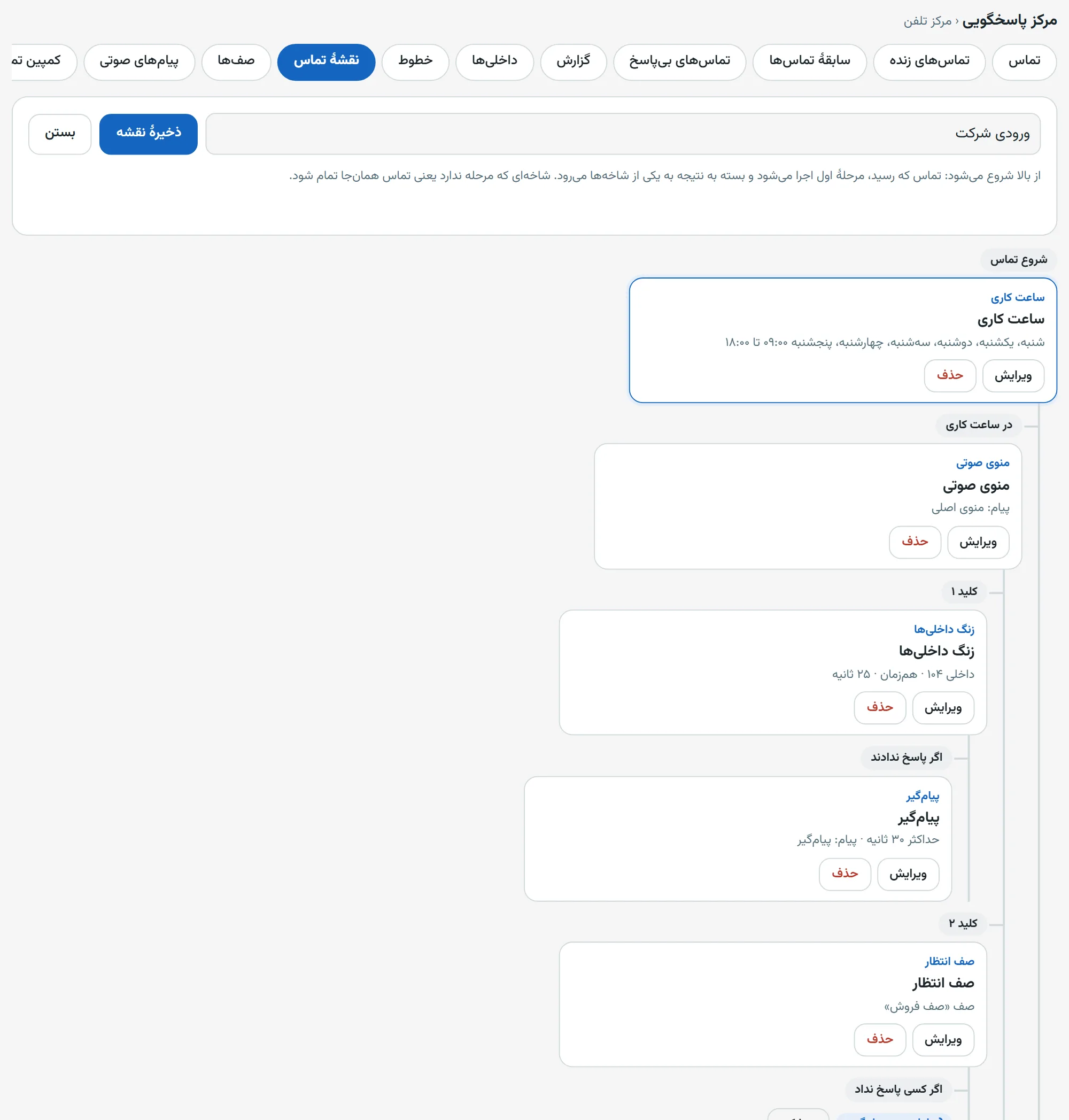
You draw the call flow map
Business hours
Welcome message
Voice menu
Ring two extensions
Queue
Voicemail
If it's Friday, the call takes another route. If they press the wrong number, they have a route for that too. Every change you save applies to the very next call.
The call flow map of a sample company
Every teammate, their own extension
The phone lives inside the same page your teammate works in. They answer, hold, mute, and transfer to another extension.
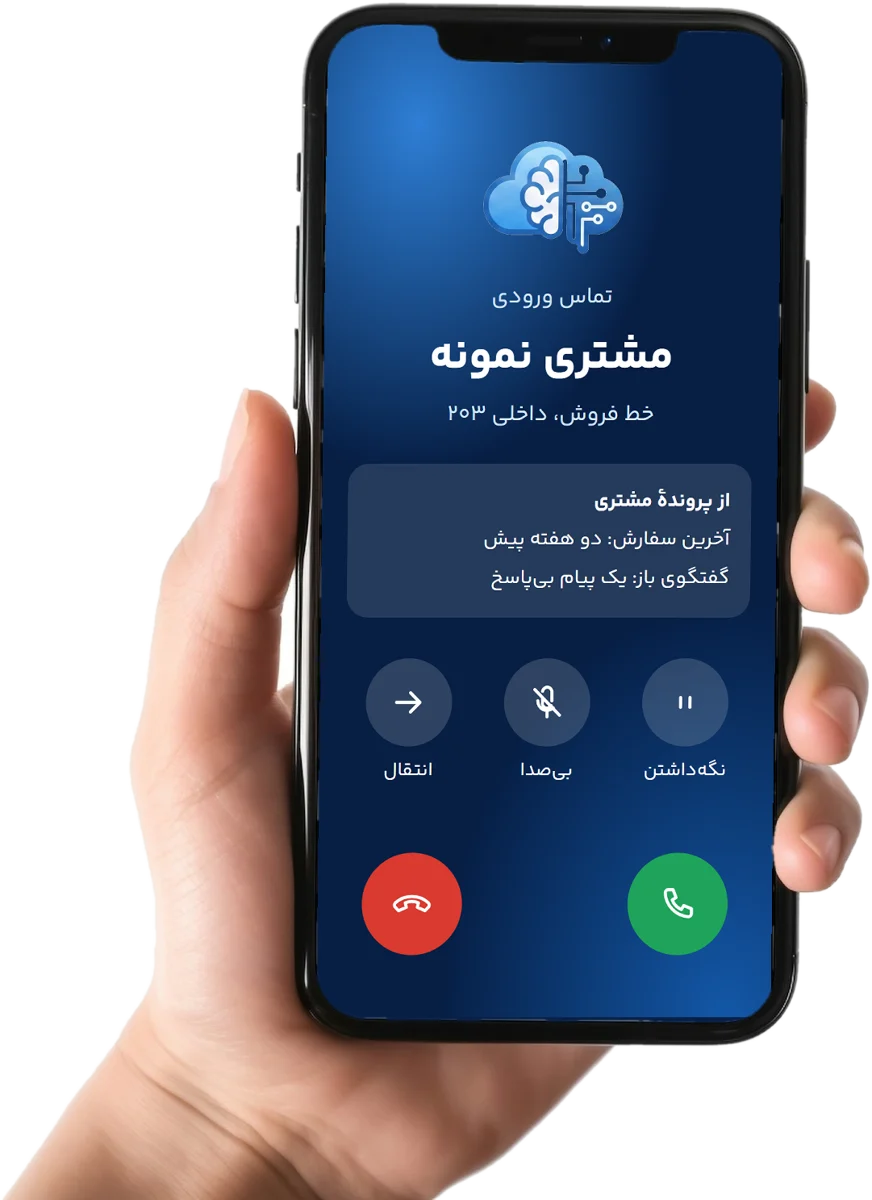
When a customer calls, their name appears on screen. And from the customer's file, one button places the call.
A sample design of the call screen
The supervisor's desk
Calls in progress, right now
Listen in, or whisper to a teammate without the customer hearing
A list of missed calls, with a call-back button
A survey after the conversation
Blocklist
Call campaigns and a report for every extension
Before you start, know this
Your line must support SIP. You get it from your own provider, and we connect it.
The web phone rings while the page or app is open.
A conversation attaches to the customer's file by mobile number. Calls from a landline stay in the office call log.
Audio files are kept for six months. The call history stays after that.
International calls are blocked.
Your phone assistants
One picks up the phone. One keeps count of the calls.
Receptionist bot
Automatic
Reads
Business hours, the voice menu and the queue
Does
Gets the call to the right extension, or takes a message
Left to you
The call flow map
Call agent
AI
Reads
Seven days of call counts and average duration, with no names or numbers
Does
In the morning report, says whether calls are up or down and what to do
Left to you
How many people staff the phones
We learn your line first, then we promise.
Tell us your line type and how many extensions you need.
 Abarhoush